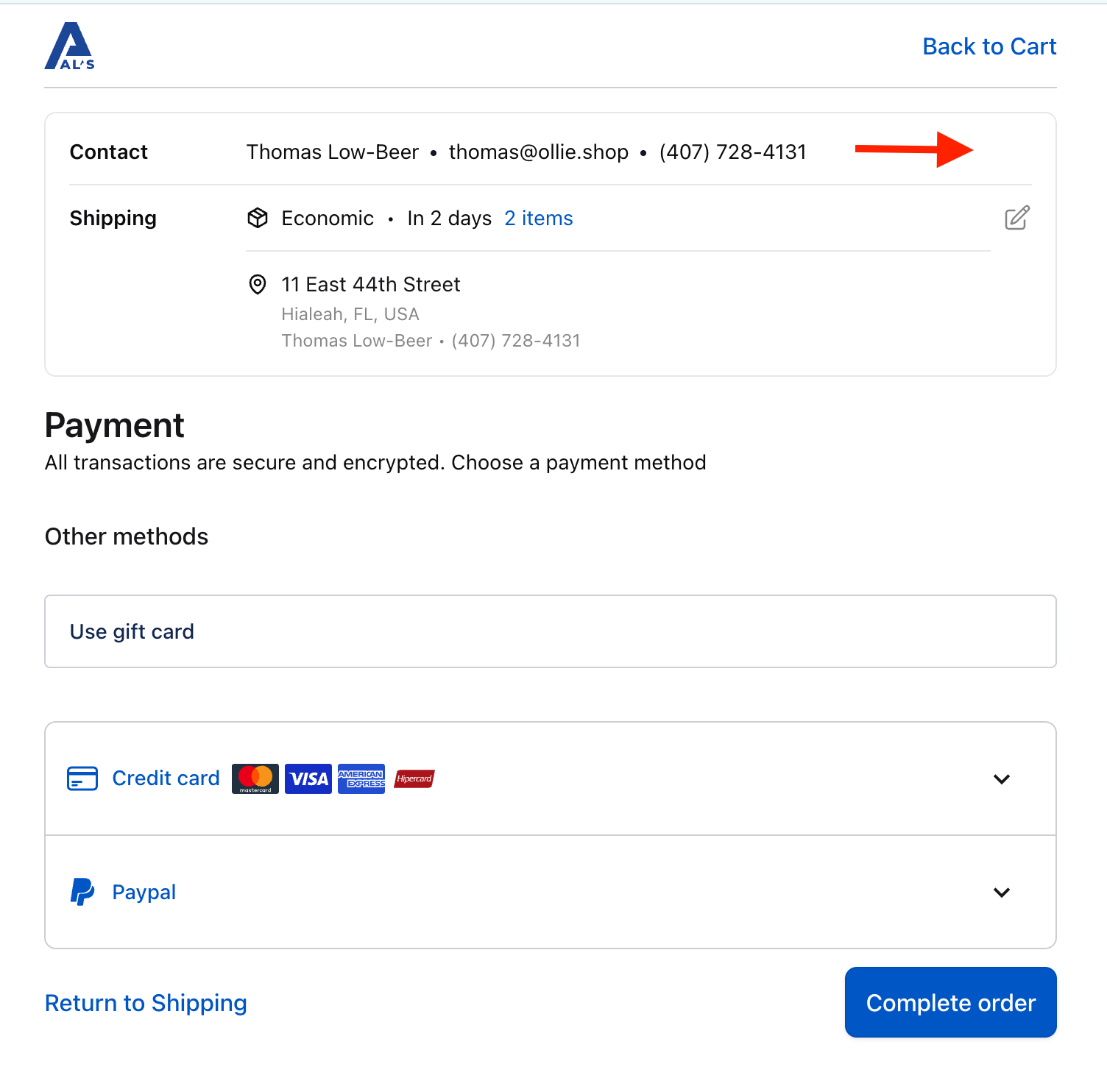
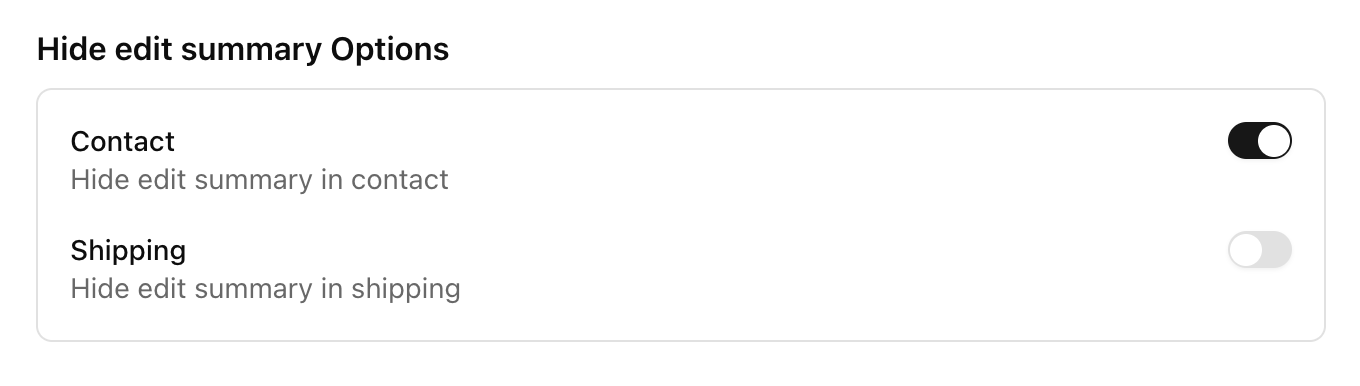
These are the public, merchant-facing settings configured per version in Admin → Versions → [your version]. They are stored in the version’s props object and read by the checkout at runtime. If a setting isn’t listed here, it isn’t part of the version form.

General Settings

SettingFieldNotes
Version NamenameThe name of your version.
TemplatetemplateOne of default, grocery, sales.

Version Control

SettingFieldNotes
ActiveactiveWhether this version is active and can be used.
Default VersiondefaultSets this version as the default for your store. A default version must be active.

Checkout Settings → Checkout

SettingFieldTypeDescription (from the form)
Allow guest in Cartprops.flags.allowGuest.carttoggleAllow non-logged-in users to the cart page without creating an account.
Allow guest in Detailsprops.flags.allowGuest.detailstoggleAllow non-logged-in users to the details pages without creating an account.
Use Ollie loginprops.flags.useOllieLogintoggleUse Ollie’s login flow instead of redirecting to the store.
Use same address for billingprops.flags.useSameBillingAddresstoggleAlways use the same billing address by default for credit card payments.
Show itens totals on summaryprops.flags.showItemsCountWithoutQuantitytoggleIf checked, the number of items in the cart is displayed in the item totals. Otherwise, the number of items is displayed multiplied by their respective quantities.
Show coupon code input opened by defaultprops.flags.showCouponCodeInputOpenedtoggleIf checked, the discount coupon code field is shown already open at checkout.
Show packages in mobile summaryprops.flags.showPackagesselect: smart / always / neverControls packages display in the cart. Smart shows only when there are multiple packages, Always forces display, Never hides it.

Checkout Settings → Shipping Options

SettingFieldTypeDescription (from the form)
Deliveryprops.shipping.deliverytoggleShow delivery option in checkout.
Pickupprops.shipping.pickuptoggleShow pickup option in checkout.
Custom Shippingprops.shipping.customtoggleShow custom shipping option in checkout.
Auto-select Pickupprops.shipping.autoSelectPickuptoggleAutomatically select the pickup option when available.
Optimized Shipping Optionsprops.flags.optimizedShippingOptionstoggleFilter shipping options and auto-pick the best one when the current selection is no longer available.
Show Shipping Arrival Dateprops.flags.showShippingArrivalDatetoggleDisplay estimated delivery as a full date instead of business days.

Checkout Settings → Summary Options

SettingFieldTypeDescription (from the form)
Contactprops.flags.showEditSummary.contacttoggleShow the edit affordance on the contact summary.
Shippingprops.flags.showEditSummary.shippingtoggleShow the edit affordance on the shipping summary.

Integrations

SettingFieldTypeDescription (from the form)
Google Tag Managerprops.integrations.GTM_IDtextYour GTM container ID (e.g., GTM-XXXXXXX). Found in your GTM account dashboard.
Server Container URLprops.integrations.GTM_SERVER_URLtext (optional)Enables server-side GTM. Leave empty for client-side only (e.g., https://gtm.mystore.com).
PayPal Client IDprops.integrations.PAYPAL_CLIENT_IDtextYour PayPal Client ID, from the PayPal Developer Dashboard under your REST API app settings.
PayPal Intentprops.integrations.PAYPAL_INTENTselect: capture / authorizeControls whether PayPal captures payment immediately (Capture) or only authorizes it (Authorize).

How to change these

  1. Go to Admin → Versions and open the version you want to edit.
  2. Adjust the toggles, selects, and inputs under General Settings, Checkout Settings, and Integrations.
  3. Click Save. Changes are written to the version’s props and apply to checkout sessions served by that version.
The form merges your changes into the existing props — fields you don’t touch are preserved. To make a version live for shoppers it must be both Active and set as Default (or selected via an experiment / version_id).