
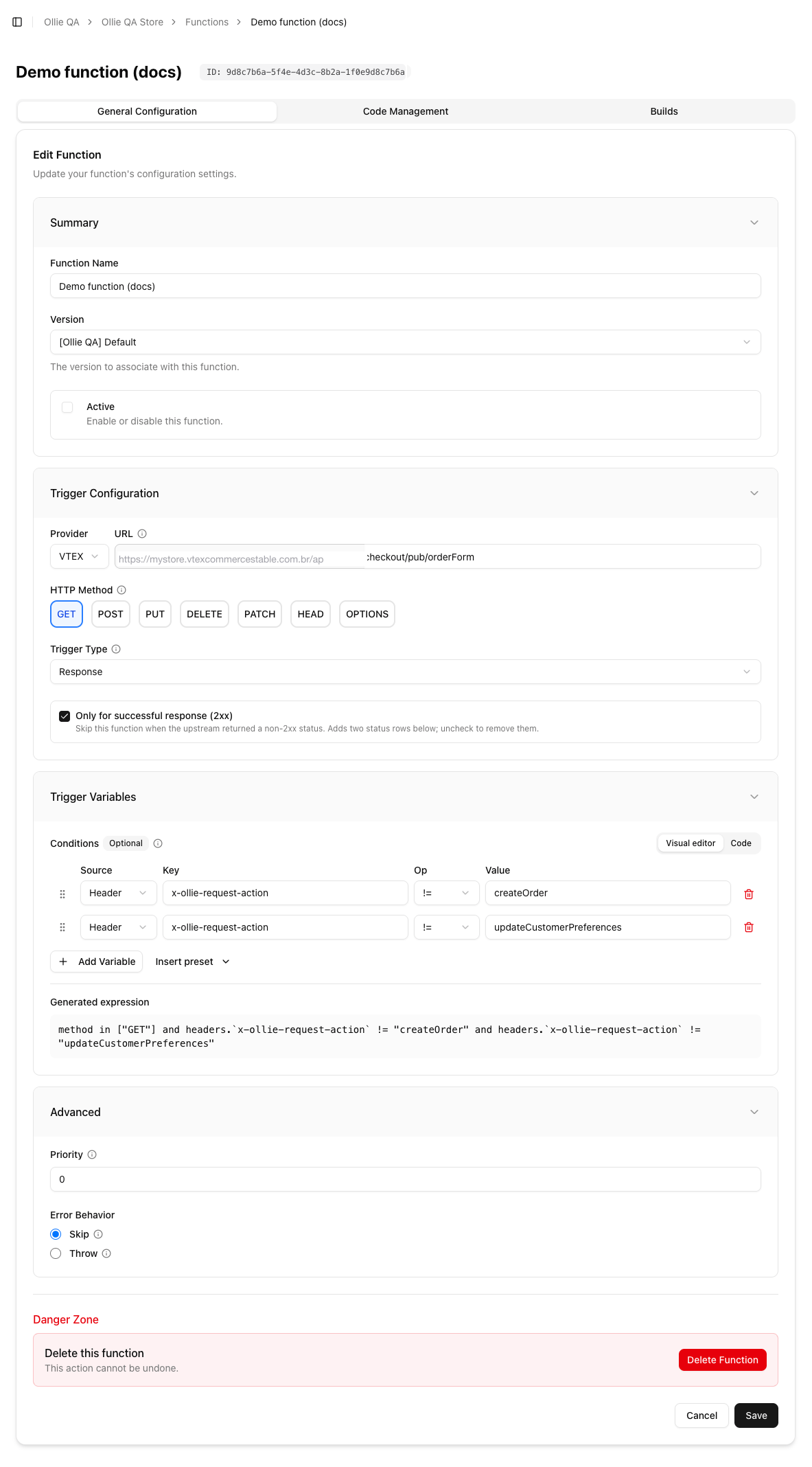
Trigger Configuration and Trigger Variables in the Admin
The URL
- Provider VTEX locks the prefix to your account,
https://<account>.vtexcommercestable.com.br/api/, and you type the rest, for examplecheckout/pub/orderForm. - Provider Custom takes any absolute URL, for calls a component makes through the
REQUESTaction.
:name matches exactly one segment and *name matches one or more. Optional groups and bare * are not supported; to cover a path and everything under it, create two functions. A relative URL is accepted by the CLI but never matches; always use the absolute URL.
The expression
The expression is written in JSONata and evaluated against this object:method: the HTTP method of the request.headers: for a request function, the request headers; for a response function, the response headers. Header names are lowercase.request.headers: the request headers, in both cases. Use this one when you filter on something the checkout sent.body: for a request function the request body, for a response function the response body. Parsed as JSON when the content type isapplication/json, otherwise the raw text. AGEThas"".status: the response status code;undefinedfor request functions.
true. An expression that cannot be evaluated (a syntax error, or a comparison on a missing nested value) counts as a function error and follows the function’s error behaviour.
What the Admin generates
The HTTP Method chips becomemethod in ["GET", "POST"]. Each Condition row becomes a comparison, Only for successful response (2xx) adds status >= 200 and status < 300, and the Code tab’s custom filter is appended. All parts are joined with and; the Generated expression box shows the result, which is what gets saved.
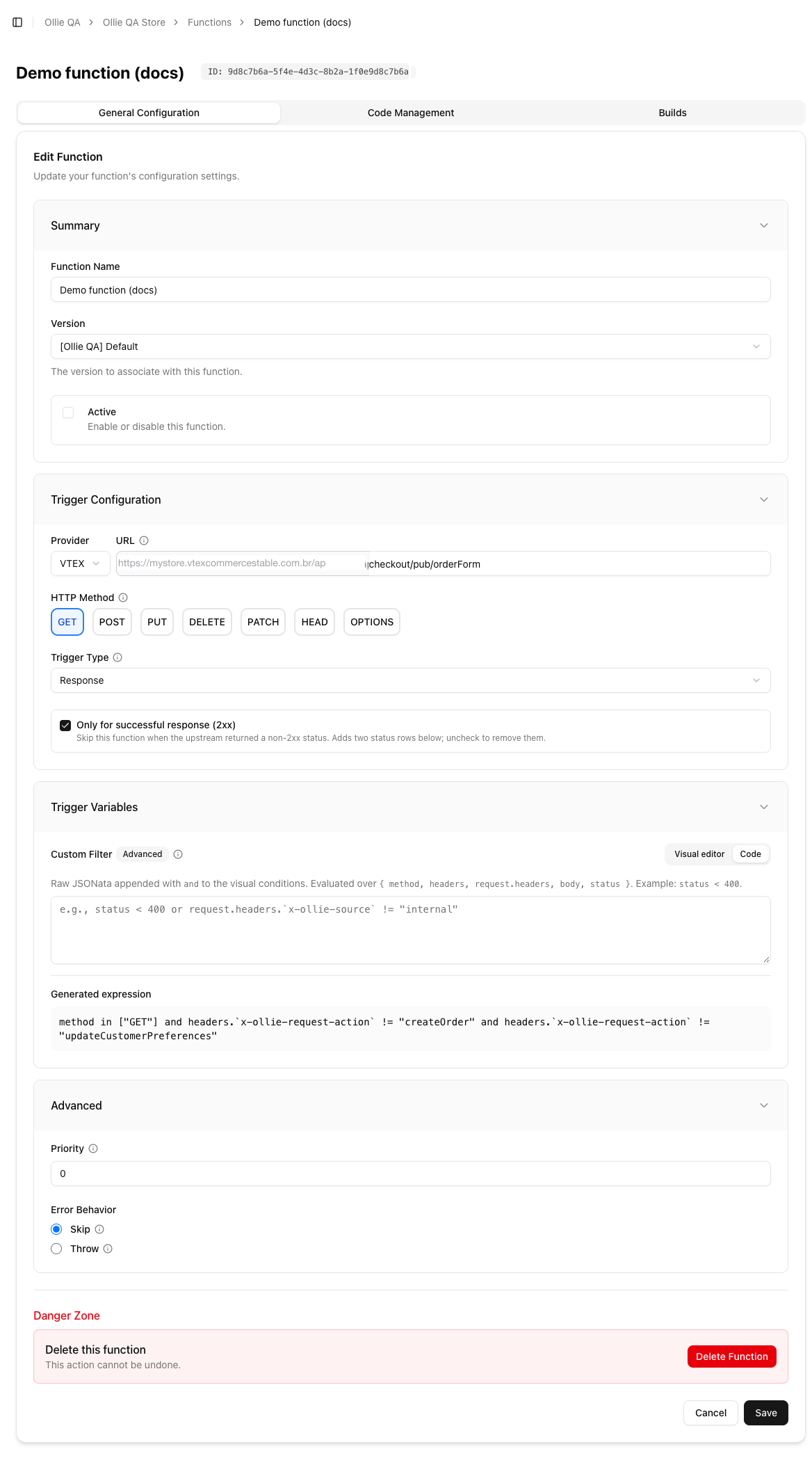
The Code tab: a raw JSONata filter appended to the visual conditions
Useful expressions
Run on the add-to-cart call only (the checkout tags its mutations with thex-ollie-request-action header):
Use the
$exists(...) form whenever the header may be absent, for example on plain GET calls, so the condition is true rather than undefined.createCheckoutSession, refreshCartOutdated, addCartItems, removeCartItems, updateCartItemsQuantity, clearCartItems, clearMessages, updateCoupons, updateGiftCards, updateShippingPackages, updateShippingAddresses, selectPickupPoint, simulateCheckoutSession, updatePaymentMethods, updateCustomerDetails, updateCustomerPreferences, createOrder.
Which calls can be intercepted
Only calls made by the checkout server reach the hub. For a VTEX store these are the main ones (all underhttps://<account>.vtexcommercestable.com.br/api/):
Plus any absolute URL a custom component sends through
useCheckoutAction("REQUEST"), which is how you call your own endpoints from the checkout and still run functions on them.
Not intercepted: the card payment submission (sent from the browser to the payment vault), installment lookups, order-status polling for PIX and wallets, and anything the shopper’s browser fetches on its own.
Activation and caching
A function runs only when it is Active, has a trigger, and has a deployed build. The hub caches the list of a store’s active functions for up to 3 minutes, so a change to the trigger, priority or active flag can take that long to apply. New code is picked up immediately after a successful build.Related
- Writing a function: what to do once the trigger matched
- Record commands: setting a trigger with
--trigger-urland--trigger-expression