> ## Documentation Index
> Fetch the complete documentation index at: https://docs.ollie.shop/llms.txt
> Use this file to discover all available pages before exploring further.
# Admin Onboarding
> Set up your Ollie Shop Store and configure your first store in 3 minutes. No coding required.
Transform your e-commerce checkout in minutes, not months. Configure your store through our visual dashboard - no technical setup required.
## Sign In
Start by visiting [admin.ollie.shop](https://admin.ollie.shop):
## Create Your Store
Configure your e-commerce store integration:
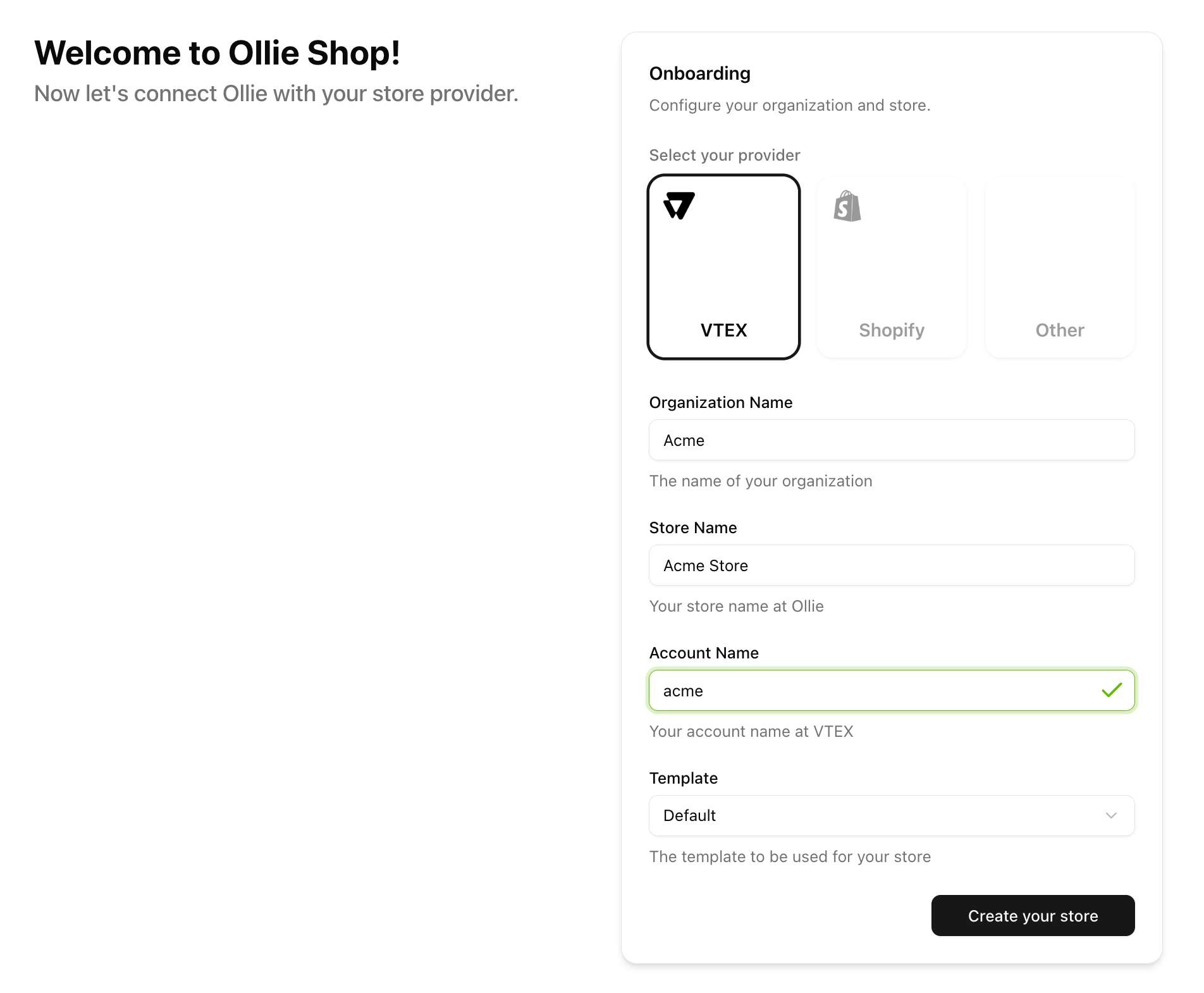 **Currently Supported** - Full integration with VTEX platform
Soon: Shopify, Magento, and Salesforce
**Organization Name**: Your company name (e.g., "Acme Fashion Co")
This creates your team workspace for managing multiple stores
**Store Name**: Your e-commerce store name (e.g., "Main Store")
**Account Name**: Your id on your ecommerce platform
**Template**: Select a template (you can change later)
## Your First Version
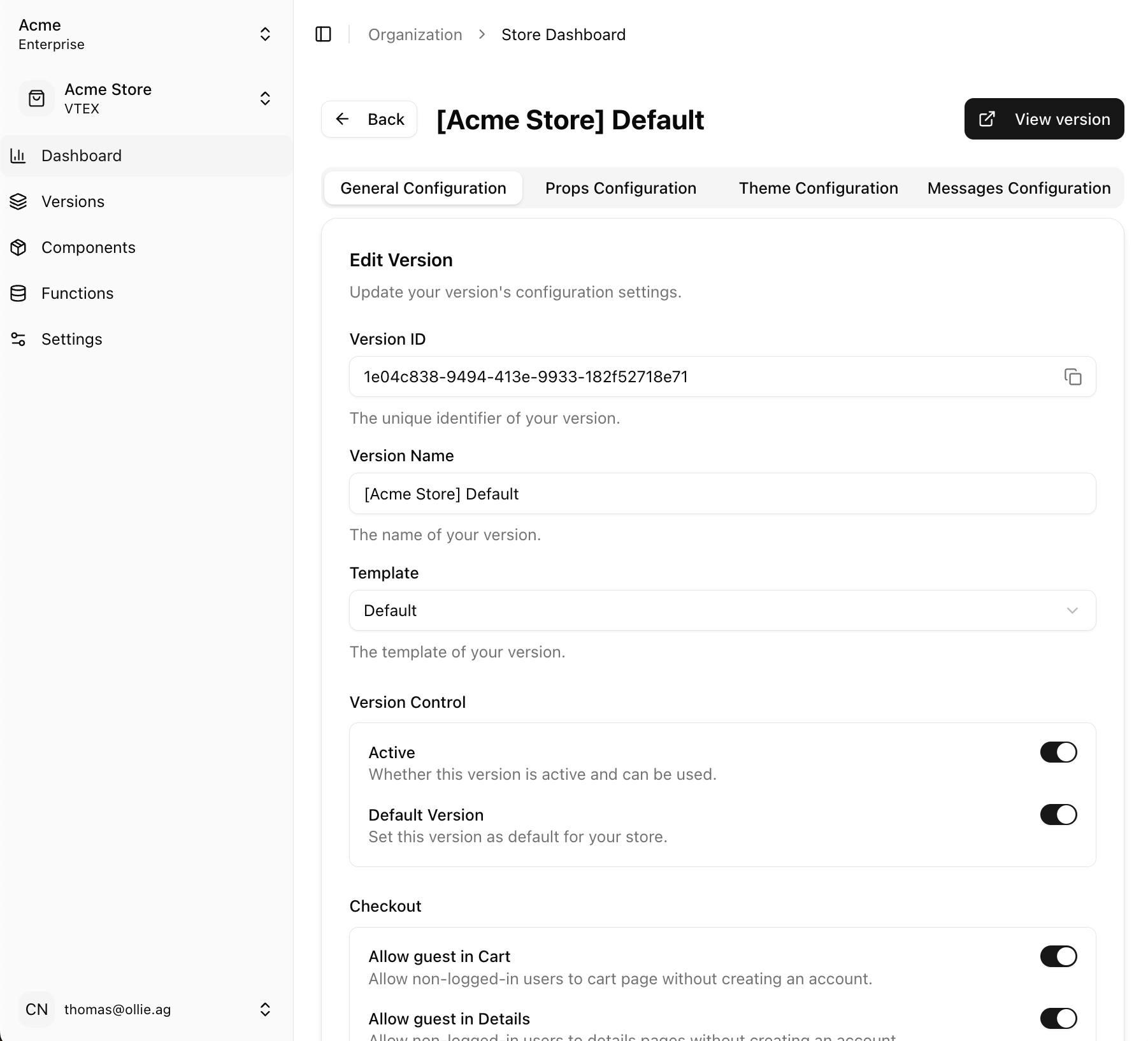
Your store is automatically created with a default version:
**Currently Supported** - Full integration with VTEX platform
Soon: Shopify, Magento, and Salesforce
**Organization Name**: Your company name (e.g., "Acme Fashion Co")
This creates your team workspace for managing multiple stores
**Store Name**: Your e-commerce store name (e.g., "Main Store")
**Account Name**: Your id on your ecommerce platform
**Template**: Select a template (you can change later)
## Your First Version
Your store is automatically created with a default version:
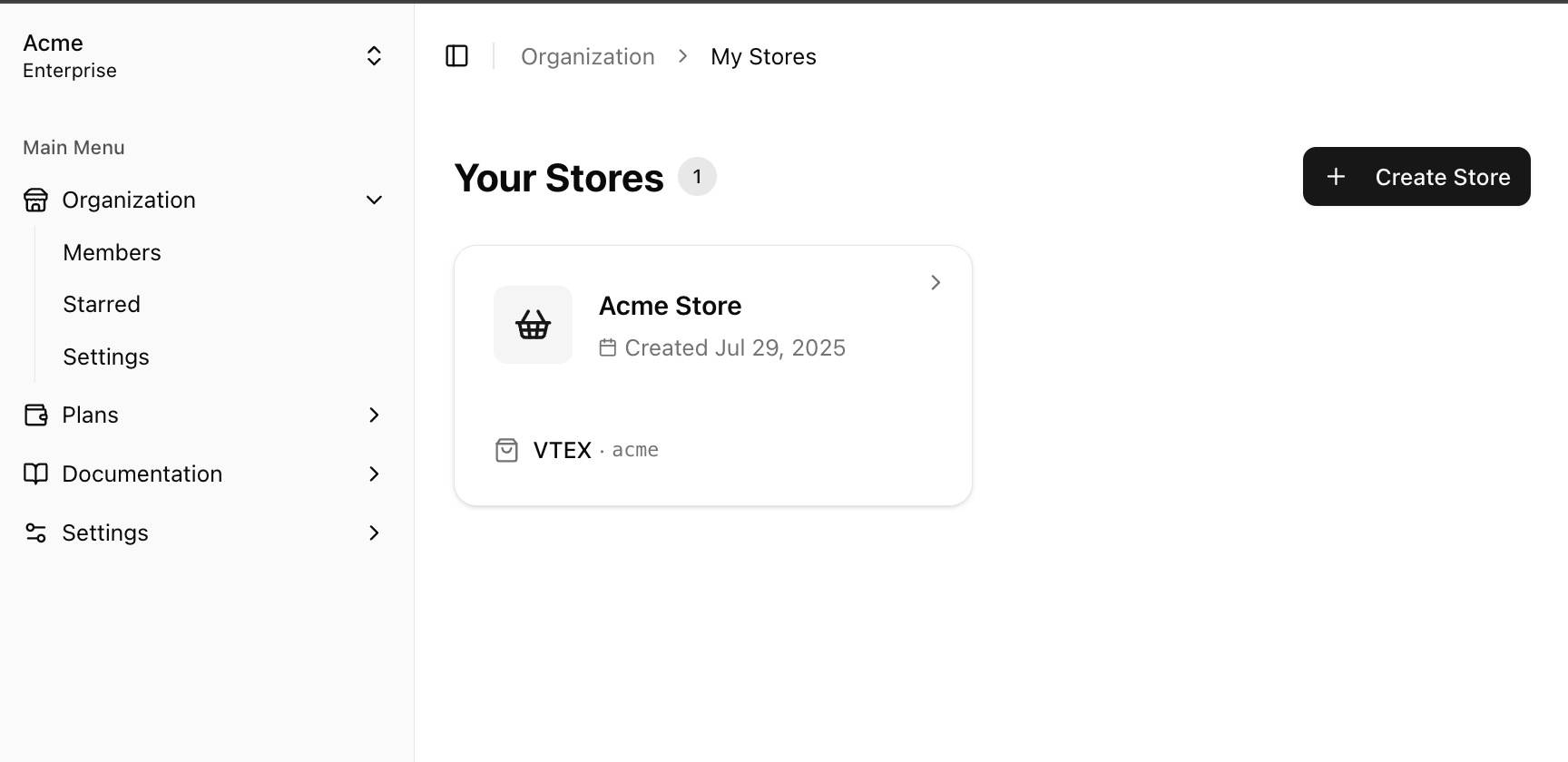 Click on the Version to access the configurations settings.
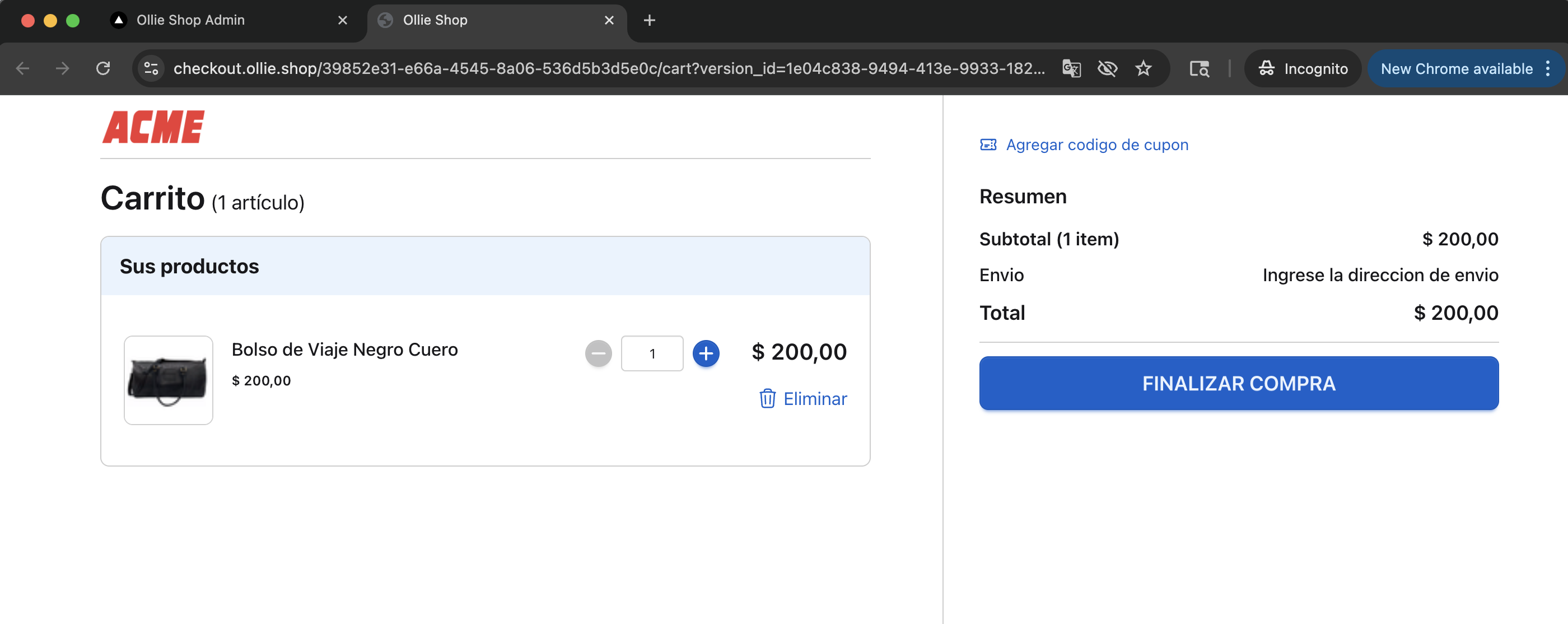
 Click "View version" to be directly taken to your Cart Page (we'll automatically add a random item for you).