> ## Documentation Index
> Fetch the complete documentation index at: https://docs.ollie.shop/llms.txt
> Use this file to discover all available pages before exploring further.
# Theme Design Tokens
> Transform your checkout's visual appearance to match your brand without compromising performance or accessibility
Stop accepting generic checkout designs that look like every other online store. Theme configuration lets you create a checkout that reflects your brand identity and enhances customer trust.
## Admin Configuration
A Version carries the configuration of your theme
1. **Navigate** to your version in the admin dashboard
2. **Click** the **Theme Configuration** tab
3. **Modify** colors, spacing, rounding
4. **Save changes** - updates apply instantly to all checkouts
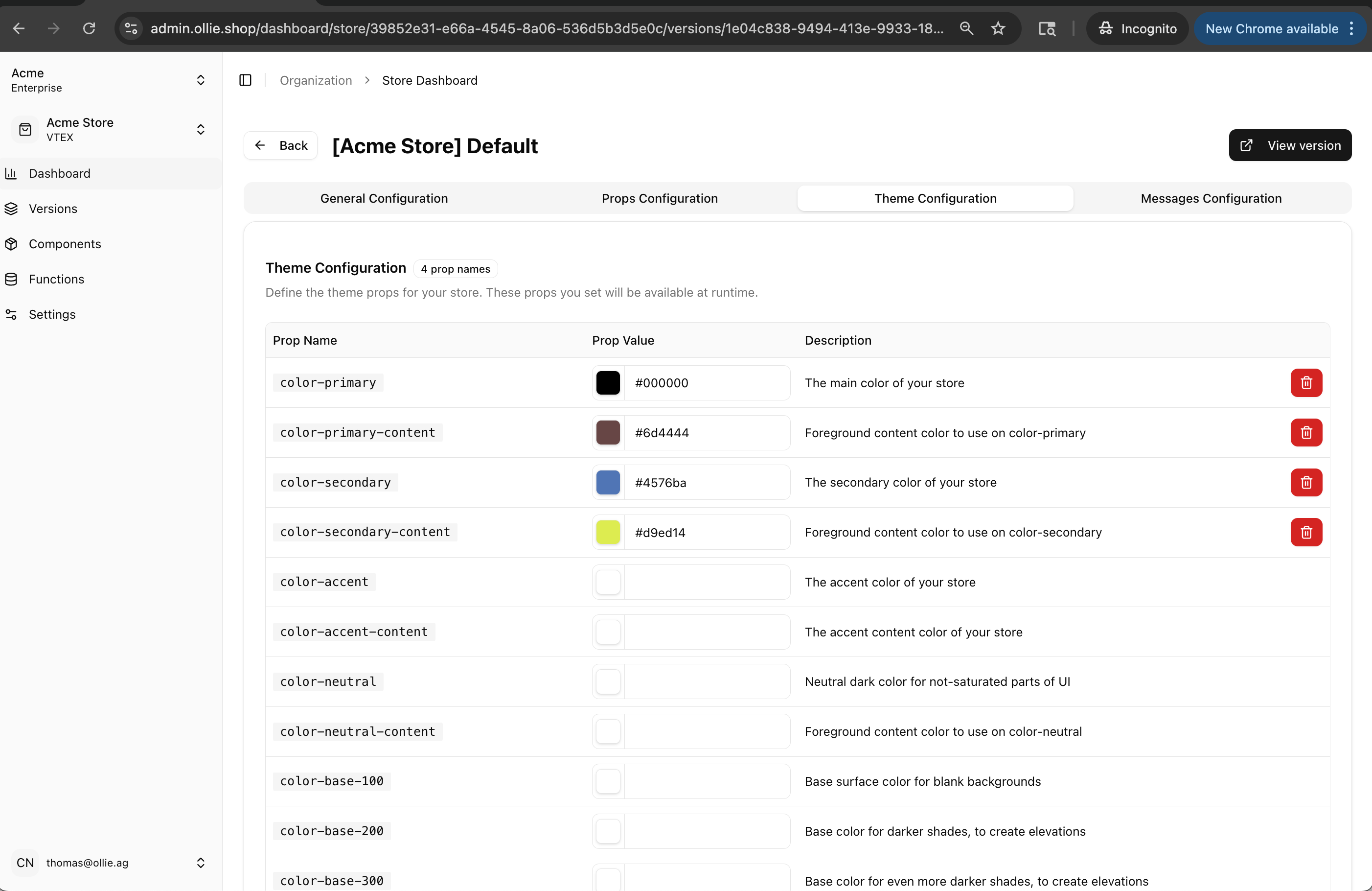 Ollie's design tokens follow [DaisyUI's](https://daisyui.com/components/) pattern. We natively support any token already defined by DaisyUI.
## Core Theme Elements
```json Essential Theme Structure theme={"system"}
{
"colors": {
"primary": "#556AEB", // Main brand color
"secondary": "#BFC9FF", // Accent color
"background": "#FFFFFF", // Page background
"text": "#000000" // Text color
},
"fonts": {
"primary": "'Inter', sans-serif"
},
"radius": {
"primary": "8px" // Button/card roundness
}
}
```
Ollie's design tokens follow [DaisyUI's](https://daisyui.com/components/) pattern. We natively support any token already defined by DaisyUI.
## Core Theme Elements
```json Essential Theme Structure theme={"system"}
{
"colors": {
"primary": "#556AEB", // Main brand color
"secondary": "#BFC9FF", // Accent color
"background": "#FFFFFF", // Page background
"text": "#000000" // Text color
},
"fonts": {
"primary": "'Inter', sans-serif"
},
"radius": {
"primary": "8px" // Button/card roundness
}
}
```