> ## Documentation Index
> Fetch the complete documentation index at: https://docs.ollie.shop/llms.txt
> Use this file to discover all available pages before exploring further.
# Checkout Flags & Settings
> Every flag and setting available in Admin → Versions, what it does, and where it maps in the version props
These are the public, merchant-facing settings configured per version in **Admin → Versions → \[your version]**. They are stored in the version's `props` object and read by the checkout at runtime. If a setting isn't listed here, it isn't part of the version form.
## General Settings
| Setting | Field | Notes |
| ------------ | ---------- | ------------------------------------- |
| Version Name | `name` | The name of your version. |
| Template | `template` | One of `default`, `grocery`, `sales`. |
## Version Control
| Setting | Field | Notes |
| --------------- | --------- | ---------------------------------------------------------------------------------- |
| Active | `active` | Whether this version is active and can be used. |
| Default Version | `default` | Sets this version as the default for your store. A default version must be active. |
## Checkout Settings → Checkout
| Setting | Field | Type | Description (from the form) |
| ---------------------------------------- | ------------------------------------------- | ------------------------------------ | ------------------------------------------------------------------------------------------------------------------------------------------------------------------- |
| Allow guest in Cart | `props.flags.allowGuest.cart` | toggle | Allow non-logged-in users to the cart page without creating an account. |
| Allow guest in Details | `props.flags.allowGuest.details` | toggle | Allow non-logged-in users to the details pages without creating an account. |
| Use Ollie login | `props.flags.useOllieLogin` | toggle | Use Ollie's login flow instead of redirecting to the store. |
| Use same address for billing | `props.flags.useSameBillingAddress` | toggle | Always use the same billing address by default for credit card payments. |
| Show itens totals on summary | `props.flags.showItemsCountWithoutQuantity` | toggle | If checked, the number of items in the cart is displayed in the item totals. Otherwise, the number of items is displayed multiplied by their respective quantities. |
| Show coupon code input opened by default | `props.flags.showCouponCodeInputOpened` | toggle | If checked, the discount coupon code field is shown already open at checkout. |
| Show packages in mobile summary | `props.flags.showPackages` | select: `smart` / `always` / `never` | Controls packages display in the cart. **Smart** shows only when there are multiple packages, **Always** forces display, **Never** hides it. |
Setting both `allowGuest.cart` and `allowGuest.details` to **false** restricts checkout to authenticated users only. This is common for B2B stores that need to show customer-specific prices and payment conditions.
## Checkout Settings → Shipping Options
| Setting | Field | Type | Description (from the form) |
| -------------------------- | -------------------------------------- | ------ | ----------------------------------------------------------------------------------------------------- |
| Delivery | `props.shipping.delivery` | toggle | Show delivery option in checkout. |
| Pickup | `props.shipping.pickup` | toggle | Show pickup option in checkout. |
| Custom Shipping | `props.shipping.custom` | toggle | Show custom shipping option in checkout. |
| Auto-select Pickup | `props.shipping.autoSelectPickup` | toggle | Automatically select the pickup option when available. |
| Optimized Shipping Options | `props.flags.optimizedShippingOptions` | toggle | Filter shipping options and auto-pick the best one when the current selection is no longer available. |
| Show Shipping Arrival Date | `props.flags.showShippingArrivalDate` | toggle | Display estimated delivery as a full date instead of business days. |
## Checkout Settings → Summary Options
| Setting | Field | Type | Description (from the form) |
| -------- | -------------------------------------- | ------ | ------------------------------------------------- |
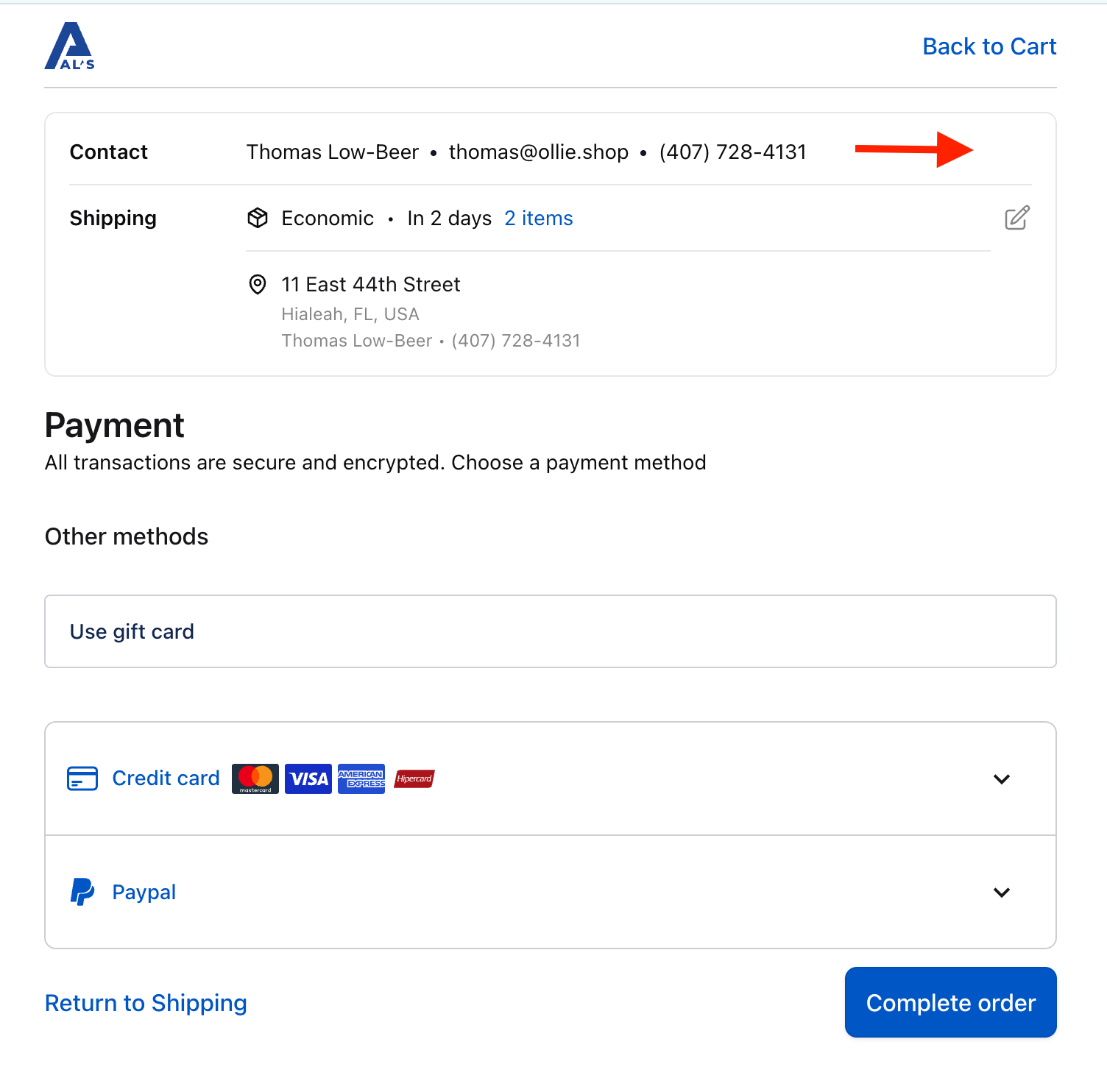
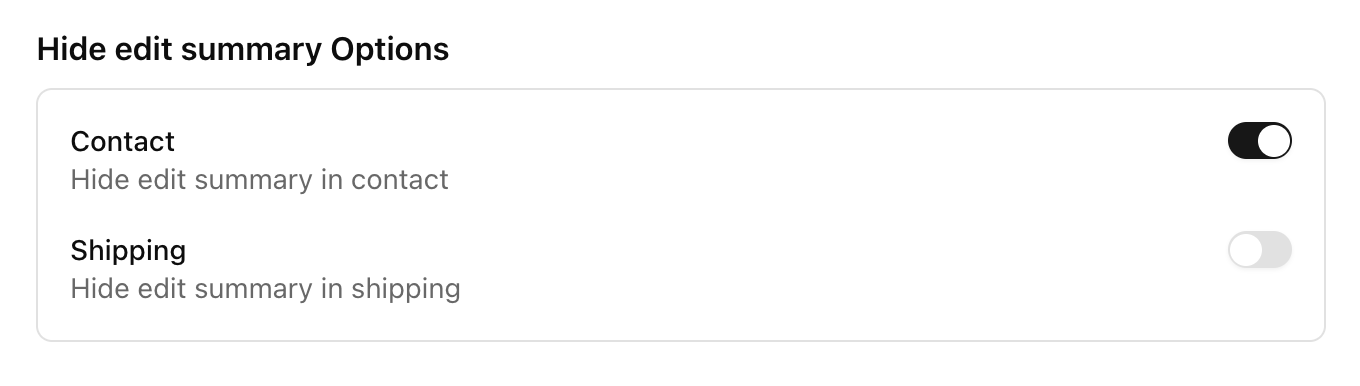
| Contact | `props.flags.showEditSummary.contact` | toggle | Show the edit affordance on the contact summary. |
| Shipping | `props.flags.showEditSummary.shipping` | toggle | Show the edit affordance on the shipping summary. |
When these toggles are **off**, the edit buttons are hidden from the customer view, which is useful for B2B closed stores where editing submitted information should be restricted.
 You configure these in **Admin → Versions → \[your version] → Checkout Settings → Summary Options**:
 ## Integrations
| Setting | Field | Type | Description (from the form) |
| -------------------- | ------------------------------------- | ------------------------------- | --------------------------------------------------------------------------------------------------------- |
| Google Tag Manager | `props.integrations.GTM_ID` | text | Your GTM container ID (e.g., `GTM-XXXXXXX`). Found in your GTM account dashboard. |
| Server Container URL | `props.integrations.GTM_SERVER_URL` | text (optional) | Enables server-side GTM. Leave empty for client-side only (e.g., `https://gtm.mystore.com`). |
| PayPal Client ID | `props.integrations.PAYPAL_CLIENT_ID` | text | Your PayPal Client ID, from the PayPal Developer Dashboard under your REST API app settings. |
| PayPal Intent | `props.integrations.PAYPAL_INTENT` | select: `capture` / `authorize` | Controls whether PayPal captures payment immediately (**Capture**) or only authorizes it (**Authorize**). |
## How to change these
1. Go to **Admin → Versions** and open the version you want to edit.
2. Adjust the toggles, selects, and inputs under **General Settings**, **Checkout Settings**, and **Integrations**.
3. Click **Save**. Changes are written to the version's `props` and apply to checkout sessions served by that version.
The form merges your changes into the existing `props`, so fields you don't touch are preserved. To make a version live for shoppers it must be both **Active** and set as **Default** (or selected via an experiment / `version_id`).
## Related
* [Versions](../concepts/version.mdx) — how versions work
* [Integrations](./integrations.mdx) — GTM and PayPal setup
* [Ollie login](./ollie-login.mdx) — `useOllieLogin` in detail
## Integrations
| Setting | Field | Type | Description (from the form) |
| -------------------- | ------------------------------------- | ------------------------------- | --------------------------------------------------------------------------------------------------------- |
| Google Tag Manager | `props.integrations.GTM_ID` | text | Your GTM container ID (e.g., `GTM-XXXXXXX`). Found in your GTM account dashboard. |
| Server Container URL | `props.integrations.GTM_SERVER_URL` | text (optional) | Enables server-side GTM. Leave empty for client-side only (e.g., `https://gtm.mystore.com`). |
| PayPal Client ID | `props.integrations.PAYPAL_CLIENT_ID` | text | Your PayPal Client ID, from the PayPal Developer Dashboard under your REST API app settings. |
| PayPal Intent | `props.integrations.PAYPAL_INTENT` | select: `capture` / `authorize` | Controls whether PayPal captures payment immediately (**Capture**) or only authorizes it (**Authorize**). |
## How to change these
1. Go to **Admin → Versions** and open the version you want to edit.
2. Adjust the toggles, selects, and inputs under **General Settings**, **Checkout Settings**, and **Integrations**.
3. Click **Save**. Changes are written to the version's `props` and apply to checkout sessions served by that version.
The form merges your changes into the existing `props`, so fields you don't touch are preserved. To make a version live for shoppers it must be both **Active** and set as **Default** (or selected via an experiment / `version_id`).
## Related
* [Versions](../concepts/version.mdx) — how versions work
* [Integrations](./integrations.mdx) — GTM and PayPal setup
* [Ollie login](./ollie-login.mdx) — `useOllieLogin` in detail