> ## Documentation Index
> Fetch the complete documentation index at: https://docs.ollie.shop/llms.txt
> Use this file to discover all available pages before exploring further.
# Templates
> Checkout layouts optimized for different business models and customer journeys
Templates are pre-built by Ollie so that you don't have to create your entire checkout, when all you really want to do is change 10%.
Templates can be seen as a series of [slots](https://docs.ollie.shop/ollie-shop/concepts/slots) arrenged in a specific way. In each slot goes a component. Like Legos.
When we create a template we take into consideration that you'll want to customize it so there are many available slots that are not in use.
A custom component can be added to any available slot, even if the slot is being used by a native component. We'll automatically replace for your custom component
The templates are developed using Nextjs. It was chosen because of its maturity and completeness of first-party features and its large development ecosystem, which allows Ul's with high standards of quality. It also offers great web performance, allowing to send less javascript code to the user's browser, improving performance and stability.
## Available Templates
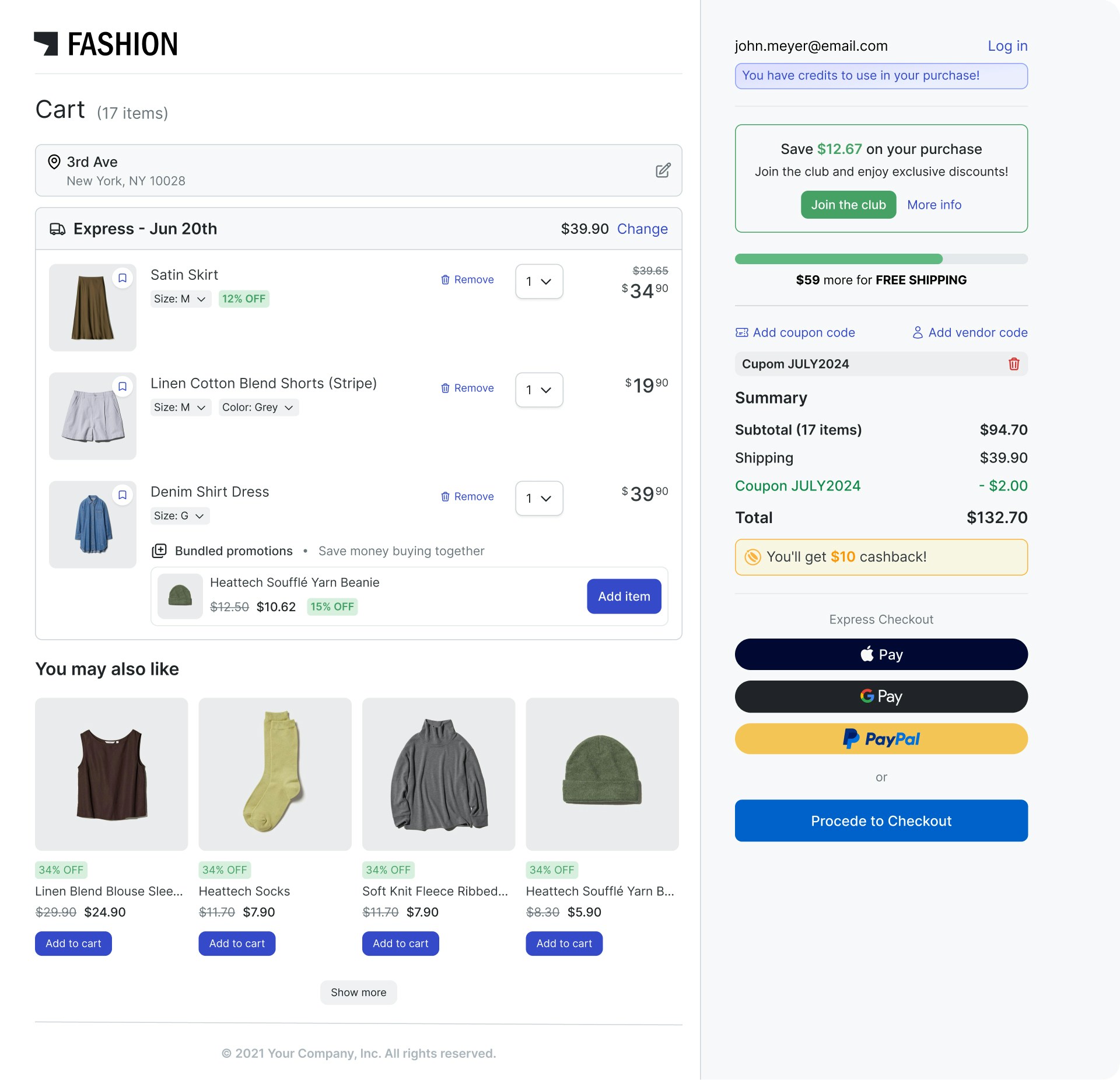 Fashion, electronics, general retail stores that need familiar checkout flows
Cart items on left, order summary on right for easy comparison
Cart → Details → Payment → Confirmation reduces overwhelm
Always visible totals and items build confidence
Automatically stacks to single column on phones
Fashion, electronics, general retail stores that need familiar checkout flows
Cart items on left, order summary on right for easy comparison
Cart → Details → Payment → Confirmation reduces overwhelm
Always visible totals and items build confidence
Automatically stacks to single column on phones
 Grocery delivery, meal kits, subscription boxes with scheduled deliveries
Focuses attention step by step, perfect for mobile-first shopping
Built-in time slot selection with visual calendar interface
Reduces cognitive load with collapsible content areas
Optimized specifically for phone shopping experiences
Grocery delivery, meal kits, subscription boxes with scheduled deliveries
Focuses attention step by step, perfect for mobile-first shopping
Built-in time slot selection with visual calendar interface
Reduces cognitive load with collapsible content areas
Optimized specifically for phone shopping experiences
 Flash sales, limited offers, landing pages, high-urgency campaigns
Everything visible at once eliminates friction and delays
No multi-step navigation to lose customers
Built-in countdown timers and scarcity indicators
Fastest possible path from interest to purchase
Flash sales, limited offers, landing pages, high-urgency campaigns
Everything visible at once eliminates friction and delays
No multi-step navigation to lose customers
Built-in countdown timers and scarcity indicators
Fastest possible path from interest to purchase
 Start with the Default template for most use cases. You can always create new versions with different templates to test what works best for your customers.